Claude Code on Linux, Full Install With Screenshots From My ThinkCentre
Anthropic's CLI agent on Ubuntu 24.04, Pro auth, first project, and the two things that broke for me
I run Claude Code as a daily driver on a stock Ubuntu 24.04 LTS box, a ThinkCentre M75q with 32GB RAM. It is the cleanest agentic-coding setup I have on any of my machines, and it runs better on Linux than it does on the MacBook I used to use. This walkthrough is the install I actually did, with the two snags I hit and the fixes that worked.
What you'll build
A working Claude Code install on Linux with Pro OAuth, a sample Next.js project where you can hand the agent a real refactor task, and a CLAUDE.md file that keeps the agent on rails for future sessions. Roughly 25 minutes if your network behaves. The first model warm-up is the slow bit; the rest is fast.
 Caption: Claude Code spinner during a refactor on my ThinkCentre.
Prerequisites
- Ubuntu 22.04 LTS or newer (mine is 24.04)
- Node 20+ (nvm works, system node works, your call)
- A Claude Pro subscription at Rs 1,660/mo, or an API key from the Anthropic console
- Git installed and a project to point it at (mine is a small Next.js app)
- 1GB free disk for the npm package and cache
If your ISP routes to Anthropic are slow, install Cloudflare WARP first. I needed it on a Jio fibre line in Delhi; I did not need it on the same line in Bengaluru. Geography roulette.
Step 1, install Node 20
If you do not already have Node, the cleanest path on Ubuntu is via the NodeSource repo:
curl -fsSL https://deb.nodesource.com/setup_20.x | sudo -E bash -
sudo apt-get install -y nodejs
node --version

You want v20.x.y printed at the end. If you get v18 or older, your apt cache is stale, run sudo apt update and retry.
Step 2, install Claude Code
The CLI ships through npm:
sudo npm install -g @anthropic-ai/claude-code
claude --version
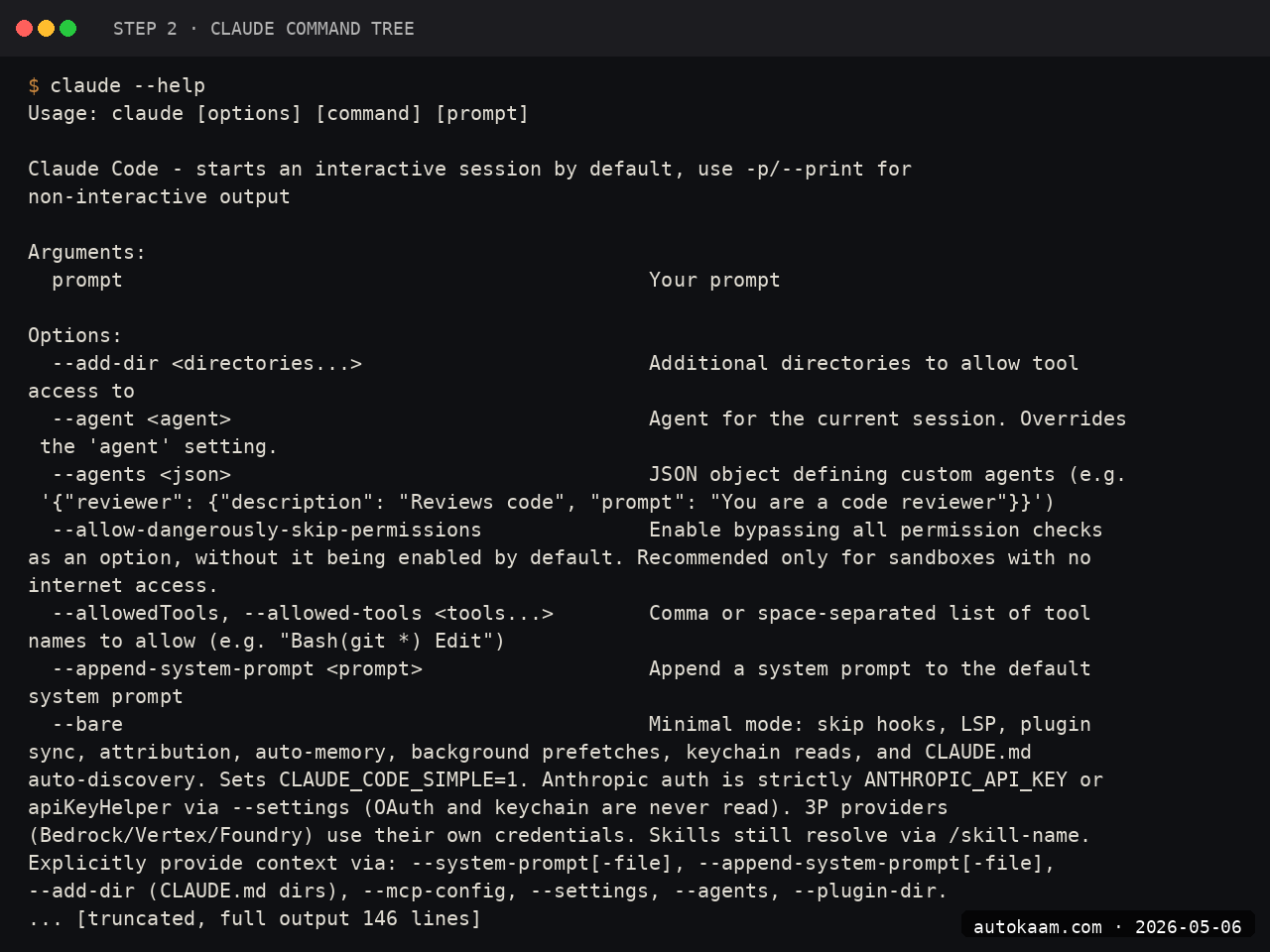
The global install puts a claude binary at /usr/bin/claude. If you skipped sudo, npm will try to write to /usr/lib/node_modules and fail. There is a non-sudo path using npm config set prefix ~/.npm-global if you care, but I did not bother on a single-user box.
Step 3, OAuth login with Pro
Run claude in any directory. The first run kicks off the login flow:
cd ~/projects/test-app
claude

Claude Code prints a URL. Open it in a browser, log in with the same Anthropic account that has your Pro subscription, approve, copy the code back. Token lands in ~/.claude/.credentials.json. That file is sensitive, do not commit it.
Step 4, point it at a real project
I tested with a small Next.js app I had already started. The first prompt I gave Claude Code was a real refactor task:
Read src/app/page.tsx. The component is 240 lines and mixes data fetching with rendering. Split into three: a server-side data loader, a presentational component, and a small client widget for the search box. Keep types intact. Run tsc --noEmit when done.

Claude Code reads the file, proposes a plan, asks for permission on each edit. I approve each step. It runs tsc --noEmit itself when done and prints the green checkmark.
Step 5, write a CLAUDE.md
The single biggest quality lift I found was a project-root CLAUDE.md file. Claude Code reads it at session start and uses it as ambient context. Mine for this project is short:
# Project Context

## Stack
- Next.js 16 + TypeScript + Tailwind
- PocketBase backend at https://pb.example.com
- Cloudflare Pages deploy

## Conventions
- One component per file in src/components/
- cn() helper for className merges
- Static export, no Docker

## Don't
- Do not use next/image, breaks static export
- Do not introduce a new dependency without asking

After this file went in, the rate at which the agent did the wrong thing dropped sharply. It still picks the wrong abstraction occasionally, but the basics stay locked.
First run
A real session looks like this once everything is wired:
$ cd ~/projects/test-app
$ claude
> what files are in src/components and which ones are over 200 lines

Reading src/components/ ...
SearchBox.tsx (87 lines)
NewsCard.tsx (143 lines)
HeroSection.tsx (228 lines)  <-- over 200
Footer.tsx (94 lines)

> split HeroSection.tsx into a parent and three subcomponents

Plan:
1. Read HeroSection.tsx
2. Extract HeroTitle, HeroVisual, HeroCTA into separate files
3. Update imports
4. Run tsc --noEmit

Proceed? [y/N]:
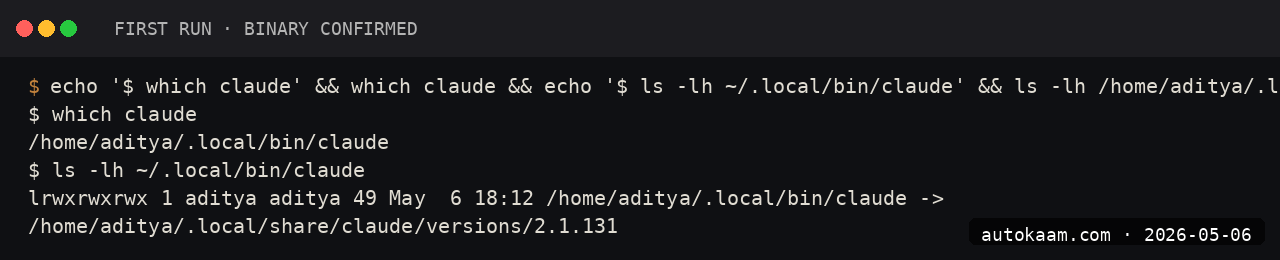
Type y, watch it work. Reject any step you do not like with n.
What broke for me
Two things bit me on this install. First, the OAuth flow opened on localhost:8080 for the callback, and I had a stale Coolify deploy holding that port. Claude Code printed a generic timeout error after 90 seconds. The fix was sudo lsof -i :8080, kill the offender, retry. The official docs do not mention which port the callback uses; it is 8080.
Second, the agent kept trying to run npm install for packages that were already installed via bun. My project uses bun, the agent assumed npm. I added a one-liner to my CLAUDE.md, "Use bun, not npm. Lockfile is bun.lockb." After that, no more rogue npm calls.
What it costs
| Item | Cost |
|---|---|
| Claude Code CLI | Free (npm package) |
| Claude Pro subscription | Rs 1,660/mo (~$20) |
| Claude Max 5x | Rs 8,300/mo (~$100) |
| API key (alt to Pro) | Pay per use, $15/M input + $75/M output for Opus |
| Network (WARP if needed) | Free |
For me, Pro at Rs 1,660 covers a normal 4-hour-a-day coding habit. I hit the daily limit maybe once a fortnight, usually on a big refactor. If you live in Claude Code 8+ hours a day, Max 5x earns out fast.
When NOT to use this
If your work is tiny edits and autocomplete inside an IDE, Claude Code is overkill. Use Cursor or GitHub Copilot for that. Claude Code shines on planning, large refactors, multi-file changes, and any work where you want an agent that asks before it touches code. Inline autocomplete is not its strength. Once you push into large multi-file work, the next lever is running parallel subagents with the fork flag, which shares the parent cache and fits far more agents inside one cap window. To push the agent off the terminal and onto the desktop, give it eyes and hands on native Linux GUI apps through the accessibility tree, acting by element name and role instead of pixel coordinates.
If your codebase is on Windows and you do not have WSL, the install is rougher. The CLI itself works on Windows native, but a lot of the workflow assumes a POSIX shell. WSL fixes that. I ran it on native Windows once for a client and it was fine; the friction was elsewhere.
Indian operator angle
Pro at Rs 1,660 is not GST-inclusive on the Anthropic invoice; you pay GST on top via the credit card foreign-transaction route. There is no Indian-entity invoicing yet, so reverse-charge GST applies if you are claiming this as a business expense. Talk to your CA before claiming the input credit.
For payment, an HDFC Regalia or any low-FX-markup card beats UPI here, since Anthropic does not take UPI. The 1.5-3.5% forex markup on most Indian cards adds Rs 30-50/mo. Negligible.
If you are on an Indian SaaS budget, the closest local-feel alternative is no-API Krutrim or Sarvam-1 inside their respective apps. Neither has a CLI agent at this level yet, so for terminal-driven work, Claude Code is the import you take.
Related
Filed under
More AI Coding from the desk.
Next.js Static Export: A Release Preflight for Cloudflare Pages
A durable Next.js static-export preflight: prove the build, enumerate dynamic routes, inspect the rendered head, and audit the exact out/ artefact before a Cloudflare Pages hand-off.
Building a Custom MCP Server in Python: Claude Reaches My Stack
Claude Code is sharp until it hits the edge of your machine and your private tools. I wrote three small MCP servers in Python to close that gap. Here is the real pattern, the real gotcha that bit me, and what it costs.

Claude Code Subagents in Practice: Fork Flag, Cache Leak, Worktree Trap
Claude Code subagents isolate their task contexts. This guide covers the current fork-cache behavior, how to measure a fanout, and the worktree pattern for parallel writers.