Next.js Static Export: A Release Preflight for Cloudflare Pages
A build-first checklist for dynamic routes, metadata, rendered HTML, and the static artefact Cloudflare Pages actually serves.
I do not treat a happy next dev window as release evidence. It proves that the development server can render the page I happened to open. A static host serves a different contract: the build must materialise every route, every image reference, every canonical, and every social card before anything reaches Cloudflare Pages.
This guide is the preflight I use for an App Router site configured with output: "export". It is deliberately build-first. The goal is not a heroic list of framework trivia. The goal is a repeatable answer to one operational question: does the exact out/ directory contain a coherent site that a browser and crawler can consume?
The current Next.js static-export guide is the source of truth for the deployment model. This article adds the practical checks around it: dynamic path enumeration, metadata inheritance, rendered HTML, and a local serving pass.
Start with the deployment contract
For a static export, the configuration is intentionally small:
import type { NextConfig } from "next";

const nextConfig: NextConfig = {
  output: "export",
  trailingSlash: true,
  images: { unoptimized: true },
};

export default nextConfig;
output: "export" tells Next.js to write static files during next build. trailingSlash: true gives directory-style URLs such as /tutorials/example/, which map cleanly to index.html files on a static host. images.unoptimized is an explicit choice for a static deployment: there is no Next image optimisation server waiting at request time.
That configuration is not a promise that the output is correct. It is a reason to inspect it. If a route is absent, a browser cannot ask a Node server to create it later. If an og:image URL is missing from the rendered head, a social crawler cannot infer it from a React component. Static hosting makes the artefact the product.
Gate one: make the build earn its green status
Run the short checks before the expensive build, then audit the generated files afterwards:
npm run lint
npm run typecheck
npm test
npm run check:content
npm run build
npm run audit:export
Each command answers a different question:
lintcatches framework and accessibility mistakes that a browser may tolerate.typecheckcatches route and metadata shape errors before they become a quiet fallback.testprotects shared helpers, especially URL construction and HTML sanitisation.check:contentchecks the editorial corpus for hard publishing failures.buildcreates the static candidate inout/.audit:exportexamines the candidate itself for broken internal links, absent assets, and head-level regressions.
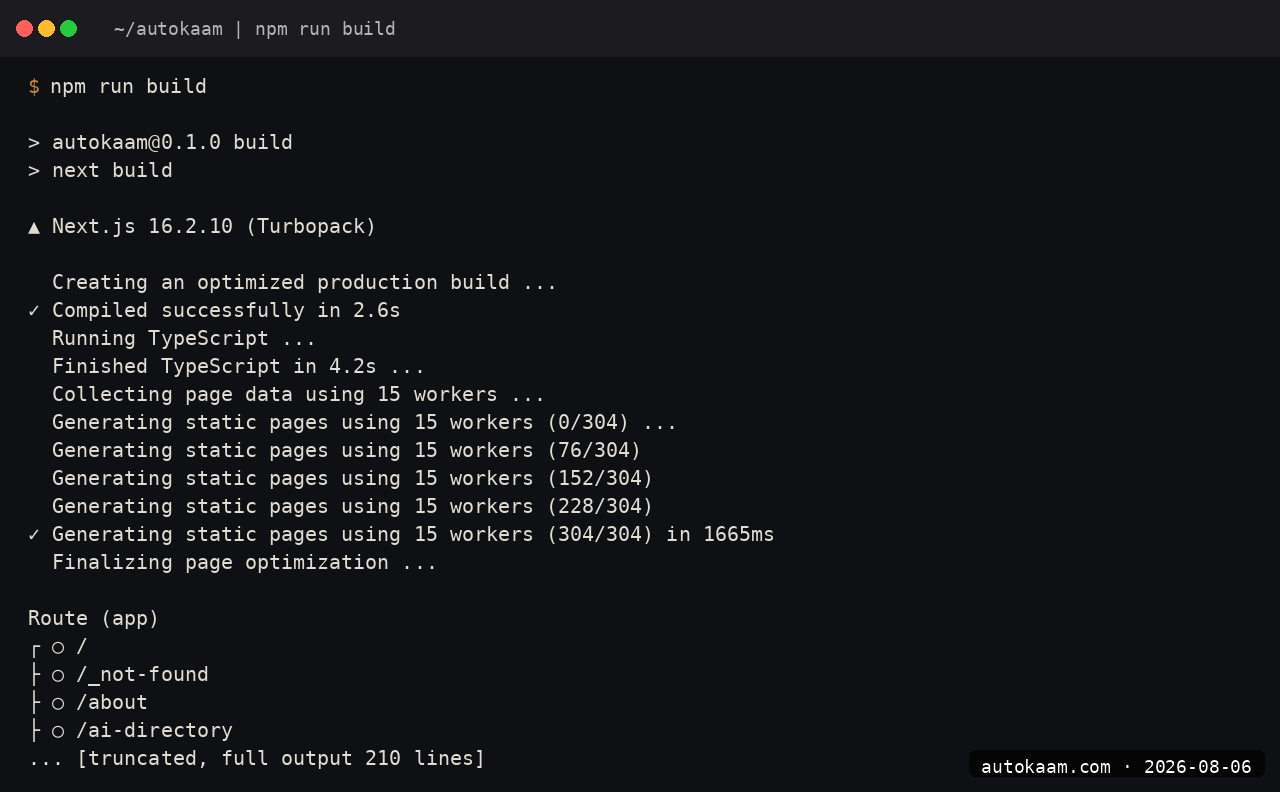
The build transcript is captured from the release candidate, not copied from a development server.
The useful discipline here is to keep the acceptance criteria separate from the build command. A successful next build proves that Next.js could render its route graph. It does not by itself prove that every generated page has one H1, a canonical, a usable Open Graph image, or a link that resolves in the exported tree. Those are artefact-level checks.
Gate two: enumerate every dynamic route
Dynamic segments need a concrete list at build time. The safe pattern is still simple:
type Props = { params: Promise<{ slug: string }> };

export function generateStaticParams() {
  return getAllTutorials().map((tutorial) => ({ slug: tutorial.slug }));
}

export default async function TutorialPage({ params }: Props) {
  const { slug } = await params;
  const tutorial = getTutorialBySlug(slug);
  if (!tutorial) notFound();
  return <Article tutorial={tutorial} />;
}
Two details deserve an explicit check. First, generateStaticParams must cover the source that actually feeds the route. A filtered list that accidentally drops one published slug produces a missing file, not a runtime recovery. Second, App Router route parameters are asynchronous in current Next.js APIs, so route code and generateMetadata should await params before using the slug. The dynamic-routes reference documents that contract.
Do not settle the question in next dev. Inspect the built path instead. After a build, serve the exported directory and open the real route:
python3 -m http.server 8788 -d out
# http://127.0.0.1:8788/tutorials/your-slug/
Use 127.0.0.1 so the local server target is unambiguous. Check an index, one dynamic article, one collection page, and the not-found path. You are testing the static tree that Cloudflare Pages would receive, not a helpful development fallback.
Gate three: own the full metadata object
Metadata inheritance is a frequent static-export blind spot. Next.js composes metadata from layouts and pages, but nested metadata objects are shallowly replaced. A page that declares its own openGraph object must carry its own image rather than assuming the layout's image survives. The generateMetadata reference calls out that replacement behaviour.
I keep the fallback image in one helper and make each route state its own canonical URL:
export function defaultOgImage(alt = SITE_NAME) {
  return {
    url: `${SITE_URL}/og/home.png`,
    alt,
    width: 1200,
    height: 630,
  };
}
Then a collection route can make the full contract explicit:
export const metadata = {
  alternates: { canonical: "https://autokaam.com/tutorials/" },
  openGraph: {
    title: "AI and developer-tool tutorials",
    images: [defaultOgImage("AutoKaam tutorials")],
  },
};
The exact wording is not the important part. The important part is that the rendered page has one title, one description, one canonical URL, and at least one absolute og:image URL. Article routes should additionally expose publication and modification dates through their JSON-LD. Google's Article structured-data documentation is a useful checklist for that article-specific layer.
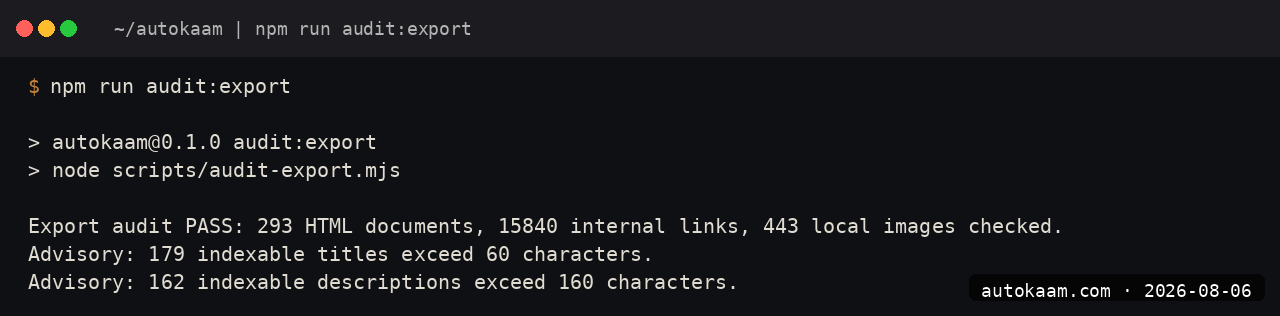
The export audit inspects the rendered HTML, so an inherited metadata assumption cannot hide behind a passing typecheck.
Gate four: inspect what a browser receives
The local server pass is where visual quality and crawl quality meet. Open the homepage at desktop width and a narrow mobile width. Verify that the lead image is real rather than an empty visual treatment, that the navigation can be used with a keyboard, and that no copy presents a static build timestamp as a live event.
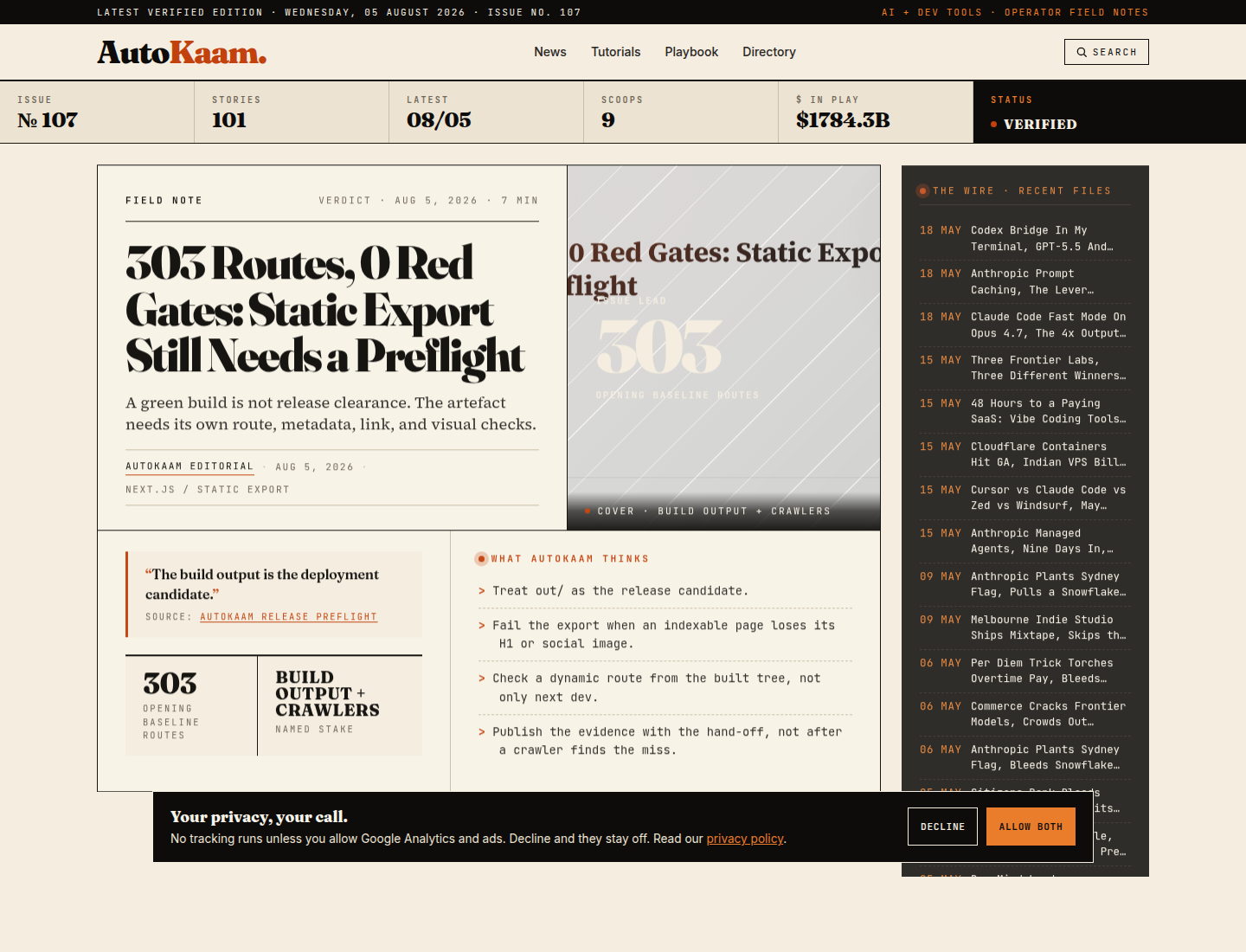
The screenshot above is the static output served locally, not a design mock-up.
For a quick head check, use the browser inspector or a small script against a generated file. I look for the canonical link, description, og:image, and JSON-LD block. For a content site, I also sample the newest article, a tutorial, an author page, a topic page, and a paginated hub. Those five paths exercise the places where metadata and internal-link assumptions usually diverge.
The audit should be strict enough to fail when an indexable page has zero or multiple H1s, no Open Graph image, a relative social image URL, a missing local asset, or a broken internal URL. These are cheap deterministic checks. They are much more reliable than discovering an empty social card after a link has already travelled.
The hand-off is the artefact, not the command history
When all gates are green, the object handed to Cloudflare Pages is out/. Keep the build log and the export-audit result with the release hand-off, then let the deployment mechanism consume that directory. Do not make a deploy the first time the static output is exercised.
That distinction also helps when a build changes route count. A new article, a removed tool, or a new taxonomy page can legitimately change the number. The invariant is not a magic number. It is that the new route is present, linked, correctly described, and represented in the generated sitemap where appropriate.
For the broader router decision, read App Router vs Pages Router in 2026. For a concrete release snapshot using this preflight, see 303 Routes, 0 Red Gates. The AutoKaam methodology explains the source and review standards behind these field notes.
Filed under
More AI Coding from the desk.
Building a Custom MCP Server in Python: Claude Reaches My Stack
Claude Code is sharp until it hits the edge of your machine and your private tools. I wrote three small MCP servers in Python to close that gap. Here is the real pattern, the real gotcha that bit me, and what it costs.
Claude Code Subagents in Practice: Fork Flag, Cache Leak, Worktree Trap
Claude Code subagents isolate their task contexts. This guide covers the current fork-cache behavior, how to measure a fanout, and the worktree pattern for parallel writers.

I Gave My AI Agents a Memory With SQLite FTS5 (No Vector DB)
Most agent-memory setups reach for Pinecone or pgvector by reflex. I put 2000+ markdown files behind SQLite FTS5 with BM25 ranking, and my agents now answer their own 'who is X' questions in under a second for zero tokens. Here is the schema, the query, and the one place lexical search loses.